

In 2026, the Joint Admissions and Matriculation Board (JAMB) has fully transitioned to a “no-contact” support model. This means that instead of visiting a physical JAMB office for every issue, students are required to use the Central Online Support System (COSS). Whether you have a problem with your NIN linkage, profile code, or admission status on CAPS, the ticketing system is your official line of communication.

This 2,000-word-level guide provides a comprehensive, step-by-step walkthrough on how to navigate the JAMB ticketing system like a pro.
Section 1: When Do You Need a Support Ticket?
Not every issue requires a ticket. Some can be fixed by visiting a CBT center. However, you must use the ticketing system if you encounter the following in 2026:
-
NIN-Profile Discrepancies: You’ve corrected your NIN, but your JAMB profile still shows the old name/details.
-
Payment Issues: You were debited for an e-PIN, but the code was never sent.
-
CAPS Issues: Your admission status is “blank” despite your school claiming they have admitted you.
-
Biometric Failures: Your fingerprints were not recognized at the registration center.
-
Change of Data Delays: You paid for a change of course/institution, but it hasn’t reflected after 7 working days.
Section 2: Step-by-Step Guide to Creating a Ticket
Follow these exact steps to ensure your complaint is seen by the right department.
Step 1: Access the Portal
Open your browser and go to the official JAMB Support URL: support.jamb.gov.ng.
Warning: Beware of phishing sites. JAMB will never ask for your ATM card PIN or full password on this portal.
Step 2: Select “Candidate/General Support”
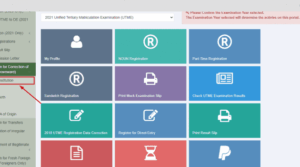
On the homepage, you will see several boxes. Click on the one labeled “Create Support Ticket.” A pop-up may ask if you are a candidate; click “YES.”
Step 3: Fill in Your Personal Details
The 2026 system requires high accuracy to link your ticket to your profile.
-
Email Address: Use the exact email address linked to your JAMB profile.
-
JAMB Registration Number: If you haven’t registered yet, use your Profile Code.
-
Phone Number: Enter the phone number used to generate your NIN profile code.
Step 4: Select the Correct Category
This is the most critical step. If you select the wrong category, your ticket will be delayed. Common 2026 categories include:
-
NIN Related Issues: For name, DOB, or gender mismatches.
-
Finance/Payment: For e-PIN and Remita issues.
-
Admission/CAPS: For all matters relating to your admission offer.
-
Profile Code Issues: If you can’t generate a code or keep getting “Record Not Found.”
Step 5: Articulate Your Complaint
In the “Subject” and “Message” fields, be clear and concise.
-
Bad Example: “My JAMB is not working please help.”
-
Good Example: “NIN Data Mismatch: I corrected my name at NIMC on Jan 15th, but my JAMB profile still shows my old surname. Please re-query my NIN.”
Step 6: Upload Proof (If Any)
If you have a payment receipt (Remita RRR) or a screenshot of an error message, use the “Upload Attachment” button. This speeds up the resolution time by 50%.
Step 7: Submit and Save Your Ticket ID
Once you click “Submit,” a unique Ticket ID (e.g., #260128-ABCDE) will appear. Write this down. You will also receive a copy in your email.
Section 3: How to Track Your Ticket Status
JAMB usually responds within 24 to 48 hours. To check if an officer has replied:
-
Go back to support.jamb.gov.ng.
-
Click on “Check Existing Ticket.”
-
Enter your Email Address and the Ticket ID.
-
View the “Response” column. If the status is “Resolved,” follow the instructions provided by the officer.
Section 4: Tips for Faster Resolution in 2026
-
Do Not Spam: Opening five tickets for the same issue will result in the system flagging you as a bot, and your tickets may be ignored.
-
Use Professional Language: Avoid using slang or “text-speak.” Treat the ticket like a formal letter.
-
The “Update” Option: If your issue isn’t resolved after 72 hours, use the “Post Update” button on your existing ticket rather than creating a new one.
-
Check Your Spam Folder: Sometimes the email notification for a reply ends up in your “Junk” or “Spam” folder.
Section 5: The “Physical” Fallback
If your ticket is marked “Resolved” but the problem persists, the 2026 protocol allows you to:
-
Print out the Ticket conversation.
-
Take it to the nearest JAMB State Office (not a CBT center).
-
Present it to the Servicom Officer. Having a ticket ID shows them you have already tried the digital route, and they will escalate it manually.
Summary Table: JAMB Support Quick Links
| Task | URL/Action |
| Raise a Complaint | support.jamb.gov.ng |
| Check Admission Status | efacility.jamb.gov.ng/validatestudent |
| Check Ticket Status | support.jamb.gov.ng/candidate-support/my-tickets |
| Payment Verification | Use the “Finance” category in the ticketing system |
Final Thoughts
The JAMB ticketing system is designed to save you money and the stress of traveling to regional offices. In 2026, a well-written ticket is the most powerful tool in a candidate’s arsenal. Be patient, provide clear evidence, and always keep your Ticket ID safe.

📚 You Might Also Like



💬 No Comments