
JAMB Reprint Exam Slip 2026/2027: Date, Deadline, Portal Guide: If you’ve successfully registered for JAMB 2026, reprinting your exam slip starts on April 11th, 2026. This slip contains your exam date, time, and venue. Follow the official instructions carefully to reprint yours.

Remember, the Joint Admissions and Matriculation Board (JAMB) conducts UTME for admission into Nigerian tertiary institutions, and printing your exam slip is a crucial step in the process.
What is JAMB Examination Slip?
The JAMB Examination Slip is an important document that UTME candidates must print and present at the exam center. This examination slip contains the following:


| Personal Information | The Candidate Full name, JAMB registration number, DOB, email address, phone number, Subjects Combination and the rest. |
| Exam Date | The exact date when exam will hold on. |
| Exam Time | The exact time when exam will hold on. |
| Exam Center/Venue | The exact center address and the venue where the exam will hold on. |
| Exam Instructions | Any specific instructions guides the candidates of how write an exam, institutions on exam malpractice, and other exam code of conduct. |
JAMB Examination Slip Printing Portal 2026/2027
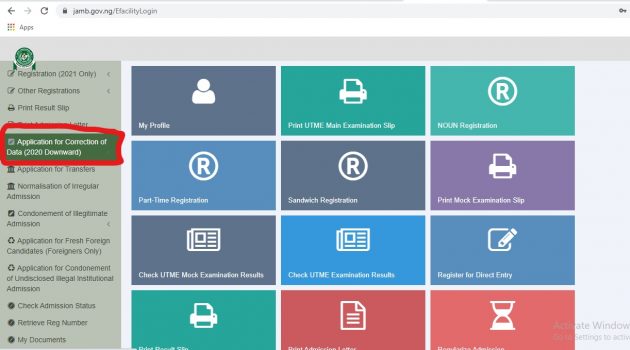
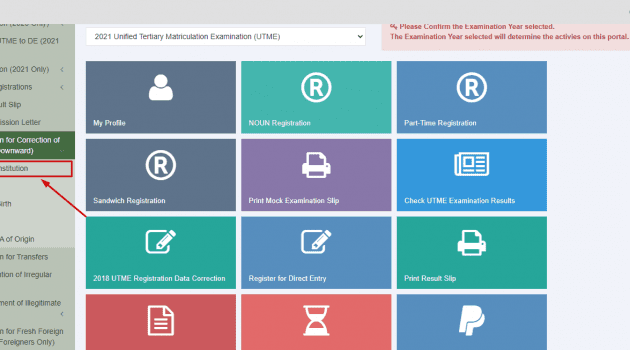
JAMB provides a dedicated portal for UTME candidates to print their exam slips. These include the UTME Examination Slip, Mock Exam Slip, and Supplementary Exam Slip.
To print yours, visit the JAMB Reprinting Exam Slip Portal:
Jamb 2026/2027 Print Examination Slip Date
Joint Admission and Matriculation Board fixed April 14th, 2026 as the commencement of print/reprint of examination slip for Unified Tertiary Matriculation Examination (UTME) Candidates. Candidates can successfully repriting their examination slip at simple steps to Reprint 2026 JAMB Examination Slip.
How to Reprint 2026/2027 JAMB Examination Slip
To print your Examination Slip successfully you need to follow the three Steps below:
- Visit Jamb Official portal for printing of examination slip at Print Examination Slip
- Input your JAMB Registration Number or Email address or phone Number in the required field.
- Click on the PRINT EXAMINATION SLIP, once you clicked on the Print Examination Slip your Exam Slip will be displays on your Smartphone or Computer device.
Candidates can download the exam slip as PDF File and print it later, on the other way candidates can visit any cafe to print their examination slip.
How to Reprint 2026/2027 JAMB Mock Exam Slip
To Reprint your 2026 JAMB Exam Slip successfully you need to follow the three Steps below:
- Visit Jamb Official portal for printing of examination slip at Print Mock Exam Slip
- Input your JAMB Registration Number or Email address in the required field.
- Click on the PRINT MOCK EXAMINATION SLIP, once you clicked on the Print Mock Examination Slip your Exam Slip will be displays on your Smartphone or Computer device.
Exam Slip contains your details includes date and the time for the examination.
How to Reprint 2026 JAMB Supplementary Examination Slip
To Reprint your 2025 JAMB Supplementary Exam Slip successfully you need to follow the three Steps below:
- Visit Jamb Official portal for printing of examination slip at Print Supplementary Examination Slip
- Input your JAMB Registration Number or Phone Number in the required field.
- Click on the PRINT SUPPLEMENTARY EXAMINATION SLIP, once you clicked on the Print Supplementary Examination Slip your Exam Slip will be displays on your Smartphone or Computer device.
Things to Check on Your JAMB Examination Slip
- Personal Information: Candidate should check and confirms their details contains in an examination slip if it is correct.
- Exam Date: Candidates should check the exact date when they are going to write their exam.
- Exam Time: Candidates should check and confirm the exam time. Most UTME examination holds on morning, evening and afternoon.
- Exam Center/Venue: Candidates should check and confirm the exam address of the center where he/she posted.
- Exam Instructions: candidates should check exam instructions on the slip and abide by the rules and regulations.
What if the Portal Shows “No Record Found”?
Don’t panic if you see this message. It typically means:
- Reprinting has not yet started for your exam session.
- JAMB has not uploaded your exam center details yet.
In such cases, check back later. The system updates gradually, and your exam details should appear soon.
How to Handle Problems with Reprinting
- Check Your Details: Ensure that you are entering the correct registration number or email.
- Portal Issues: Sometimes the portal might be slow or unavailable due to high traffic. In this case, try again later, preferably at night when fewer users are online.
- Errors on the Slip: If you notice any errors on your slip (e.g., wrong name, exam date, or venue), contact JAMB support immediately or visit a JAMB office to resolve the issues.
Conclusion
Reprinting your JAMB exam slip is a crucial step in preparing for the 2026 UTME. You can easily print it online from home, a cyber café, or CBT center. Print multiple copies and bring the slip along with a valid ID to the exam center.
Following this guide ensures you avoid confusion or mistakes about your exam date, center, and instructions. Check all details carefully and keep the slip safe—it’s mandatory for entry. Don’t wait—reprint your slip as soon as the portal opens.